
AI Room Designer vs Interior Designer: An Honest Cost, Speed & Quality Comparison
A modern AI room designer can restyle a room from a single photo in seconds for the price of a coffee, while a professional interior designer brings sourcing, coordination, and accountability that software can’t. According to cost data compiled by Angi, hiring a designer typically runs into the thousands of dollars per room. So which one do you actually need?
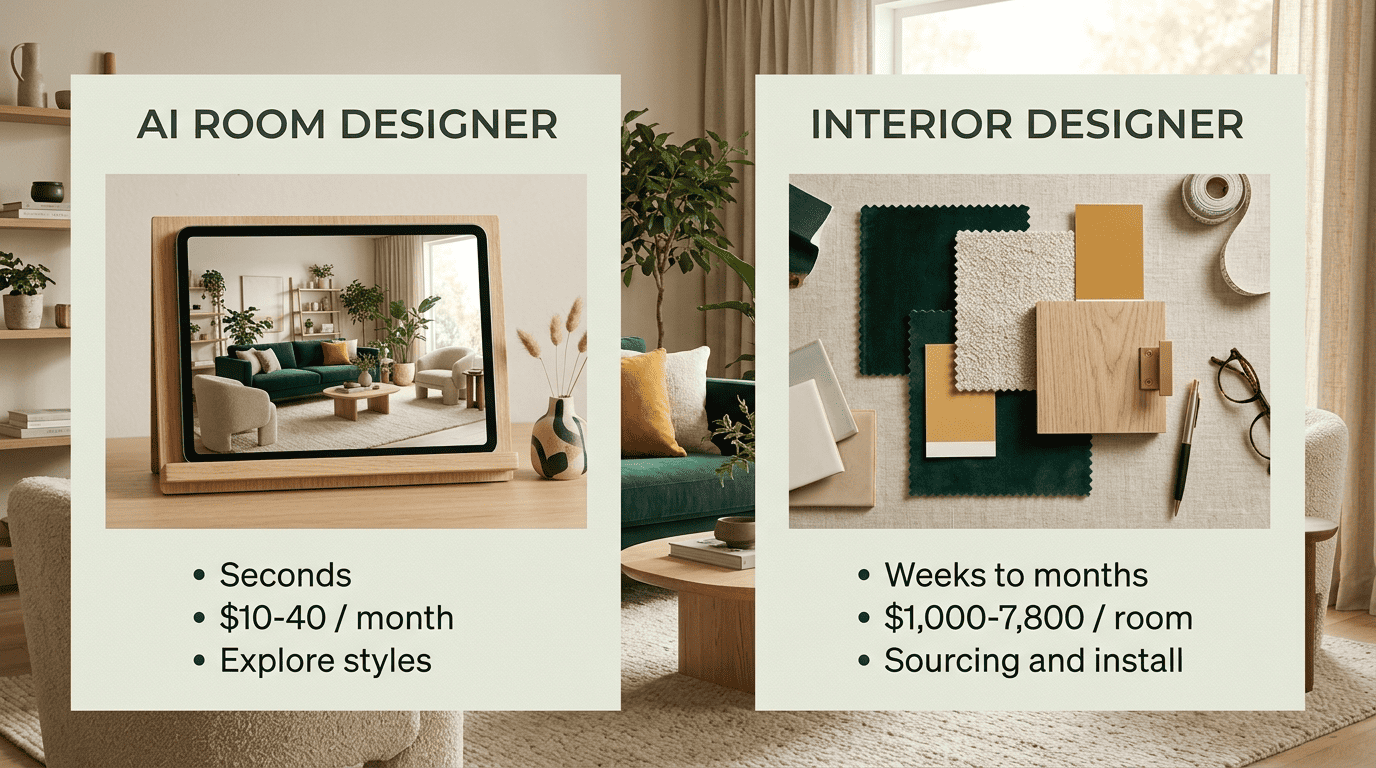
The short answer: they solve different problems. AI is unbeatable for exploring ideas fast and cheap; a human designer earns their fee when someone needs to source products, measure a space, manage trades, and stand behind the result. For most people, the smartest move is to use both.
The core difference: a visualization tool vs a full-service professional
An AI room designer and a professional interior designer aren’t really competing for the same job — one renders pictures, the other delivers a built room. Understanding that gap is the fastest way to figure out which one you need.
What an AI room designer actually is
An AI room design tool analyzes a photo, separates structural elements from removable ones, and uses diffusion models fine-tuned on millions of interiors to render restyled versions of the same room. It outputs one to four variations in seconds. It’s a visualization engine, not a service — closer to virtual staging software than to a contractor.
What a professional interior designer actually is
A professional interior designer delivers an end-to-end service: discovery, concept development, measured plans, product sourcing, ordering, trade coordination, and installation. Per Wikipedia and the National Kitchen & Bath Association (NKBA), interior design is a distinct profession with formal training, certification, and — in some U.S. states — legal registration, including accountability for how a space is actually built.
| AI room designer | Professional interior designer | |
|---|---|---|
| Output | Rendered images, seconds to minutes | Built, furnished room |
| Cost | Free to ~$10–$40/month | $100–$200/hr avg; $1,000–$7,800/room |
| Timeline | Instant, unlimited iterations | Weeks to months |
| Sourcing | None — visualization only | Products ordered, often at trade pricing |
| Accountability | None | Professional liability, standards (NKBA/ASID) |
Cost: AI cuts visualization cost 95–99%
Cost is where the gap between an AI room design app and a hired professional is most obvious — and where the case for at least starting with AI is strongest.
What hiring a designer really costs
Interior designers average $100–$200 per hour, ranging from about $50/hr for a junior designer to $450/hr for a principal. Full room packages, including furnishings, run $1,000–$7,800; design work alone costs $450–$1,500 per room. Whole-project spend averages $2,056–$15,216, with most projects landing near $8,529, or $5–$17 per square foot — and noticeably more in major metros like New York, Los Angeles, or San Francisco, according to Angi’s 2026 cost data and HomeGuide.
| Cost item | Typical range |
|---|---|
| Hourly rate | $100–$200/hr ($50 junior–$450 principal) |
| Full room, with furnishings | $1,000–$7,800 |
| Design work only, per room | $450–$1,500 |
| Whole project average | $2,056–$15,216 (most ~$8,529) |
| Per square foot | $5–$17 |
| Major metro premium | Noticeably higher (no fixed %) |
Designers structure their fees a few different ways, and it’s worth knowing which one you’re agreeing to before a project starts:
- Hourly — billed for actual time spent on discovery, sourcing, and coordination.
- Flat fee — a fixed price for a defined scope, common for single-room projects.
- Percentage of project cost — typically 10–30% of total spend on furnishings and materials.
- Cost-plus — the designer buys goods at trade discount and marks them up 20–40%.
Many designers combine a flat design fee with a markup on the products they purchase for you.
Where AI lands on price
AI room designers range from free tiers to roughly $10–$40 per month, so the pure visualization step costs a fraction of a design fee — cutting the cost of «seeing» your options by an estimated 95–99% compared to a paid design engagement. That price buys renders, not sourced furniture, measured drawings, or an installed room.
Speed: seconds vs weeks
AI turns a photo into multiple restyled options in seconds and lets you iterate without limit — you can try ten styles before lunch. A designer’s process, from discovery through sourcing and installation, typically spans weeks to months, because real furniture has lead times and trades need scheduling. Speed is AI’s clearest structural advantage; depth is the designer’s.
What AI does well
Where AI shines is instant visualization, low-risk experimentation, and volume. You can redesign a room from a photo across a dozen-plus styles and compare the variations side by side, including:
- Modern
- Scandinavian
- Japandi
- Midcentury
- Minimalist
- Boho
- Industrial
- Coastal
- Farmhouse
It’s especially useful for renters and no-renovation refreshes, for building a moodboard, and for pinning down what you actually like before spending a dollar on a professional.

Tools like RoomGPT, which has drawn millions of users since launch, show how mainstream this exploration step has become — but that popularity is about idea generation, not delivery.
Interior design is the art and science of enhancing the interior of a building to achieve a healthier and more aesthetically pleasing environment for the people using the space.
Wikipedia, Interior design
What a human designer does well
A designer’s value shows up in the parts of a project that a rendered image can’t touch: sourcing real products, often at trade pricing, and holding a budget, an order list, and a timeline together over weeks or months.

That work typically includes:
- Sourcing to-the-trade furniture and materials
- Managing budget, purchase orders, and project timeline
- Coordinating contractors, electricians, and upholsterers
- Designing custom furniture and millwork
- Producing measured, buildable floor plans
- Carrying professional accountability under standards set by bodies like NKBA and ASID
When a supplier ships the wrong sofa, or a wall turns out to be load-bearing, a designer owns the fix. An AI room decorator renders a pretty picture; it doesn’t place an order, hold a budget, or answer for the result.
Accuracy and realism: read AI renders as inspiration, not blueprints
AI renders are stunning but not literal. Diffusion models can get several things wrong when they turn a photo into a new design:
- Mis-scale furniture relative to the room
- Invent geometry that isn’t in the original space
- Ignore real dimensions and floor plan constraints
- Overlook load-bearing walls, plumbing, or wiring
Apartment Therapy’s hands-on test of 13 free AI interior design tools found quality uneven across tools, with output best treated as inspiration rather than a working plan. Treat every AI render as a design idea: confirm measurements, materials, and any structural or renovation work with a professional or contractor before you buy or build.
The ideal hybrid workflow: explore with AI, execute with a pro
The best results come from combining both approaches rather than picking one and ignoring the other. Here’s how that typically plays out:
- Gather a few photos of the room you want to change.
- Run them through a free AI room designer to test several styles and color palettes.
- Compare the variations side by side and save the ones that match your taste.
- Build a moodboard from your favorite AI renders.
- Bring that moodboard and a clear brief to an interior designer or contractor.
- Let the professional take measurements, source real products, and quote the project.
- Have the designer coordinate installation and stand behind the finished room.
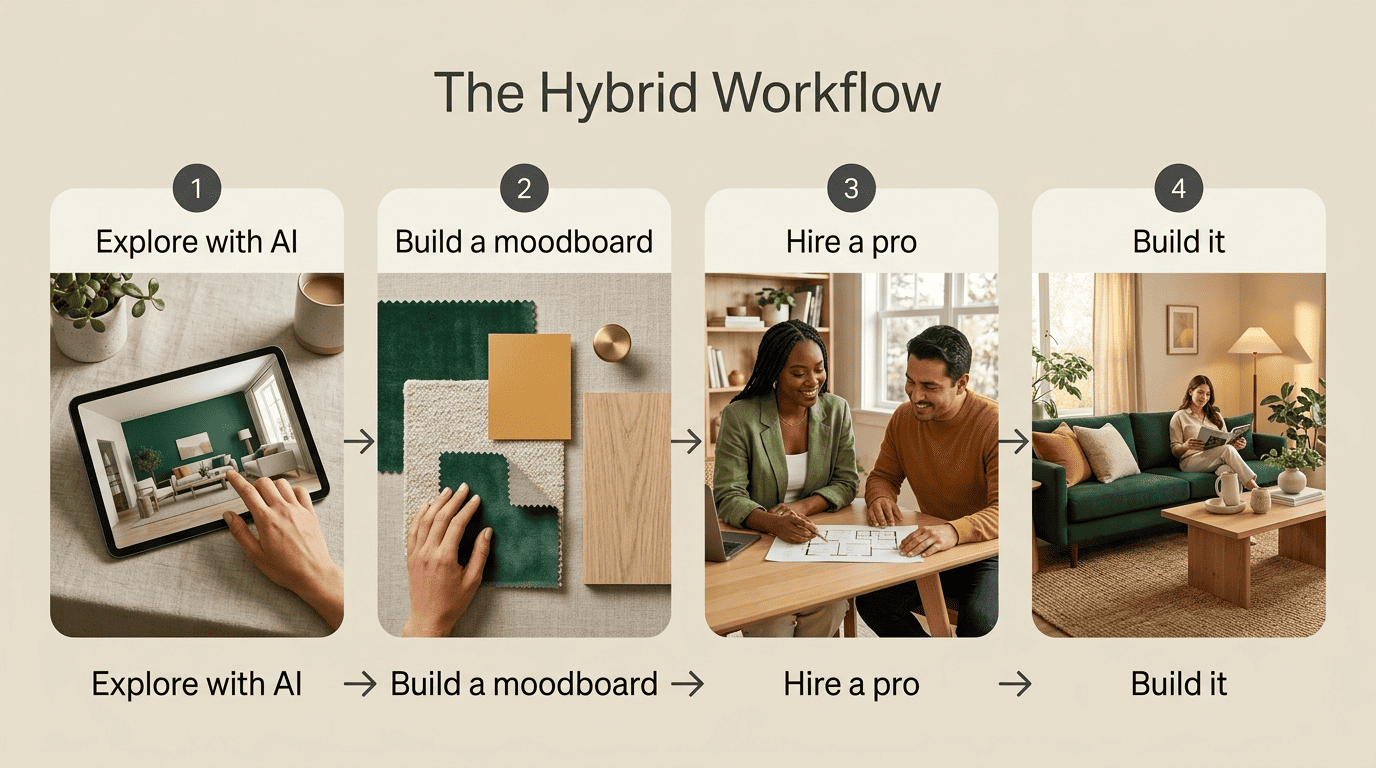
Arriving with a defined brief cuts a designer’s billable hours — and your final bill — while still giving you the sourcing, coordination, and accountability that an AI room design app simply cannot provide.
Which should you choose?
Choose AI if you’re refreshing a room, renting, or working with a tight budget. You don’t need sourcing or trade coordination for a low-stakes update — you need ideas, fast, and an AI room designer delivers that in seconds instead of weeks.
Choose a designer for full renovations, custom or structural work, or high-stakes projects. Anything touching walls, plumbing, or built-in furniture needs a professional who can produce a buildable plan and answer for the outcome.
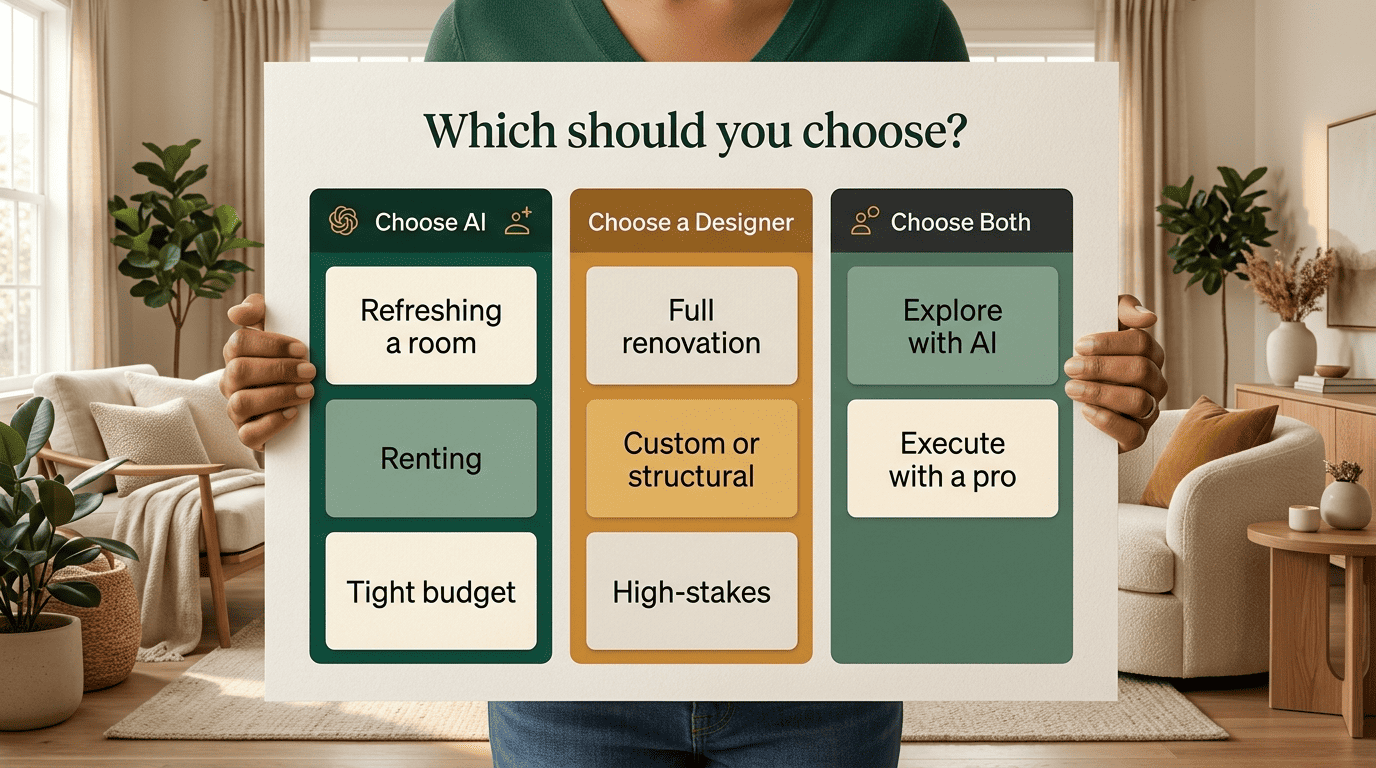
Choose the hybrid path if you want the best of both — which fits most people. Explore cheaply and quickly with AI, then hand a clear direction to a professional to execute properly.